Log your first workout
Start a session, add exercises, and record your sets — the whole loop in about two minutes.
Updated
Everything in the Gymbers app is built around one loop: start a session, log your sets, finish. Once you've done it once, the rest of the app makes sense.
Start a session
Open the Workout tab
It's the lifter icon, third in the tab bar. The app opens on your profile, so tap across.
Choose how to begin
If you're following a program, your next session is waiting on the Workout tab — tap Start Workout. To train without one, tap ⋯ at the top right and choose Freestyle.
Add your exercises
Tap Add Exercises. Search by name, or browse by muscle group. Tap every exercise you want, then tap Add at the top right.
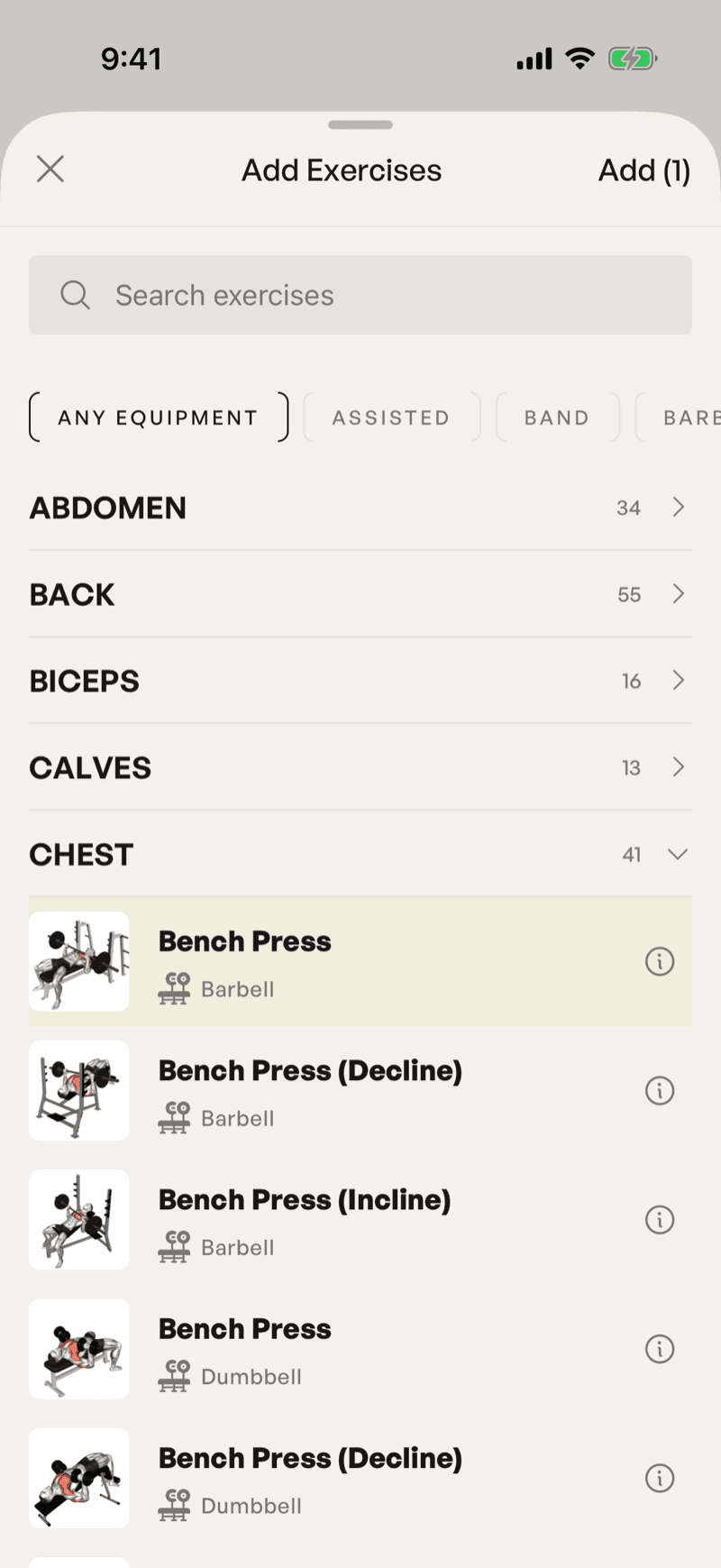
Search matches part of a name, so "bench" finds every bench press variation.
Can't find an exercise? Create your own from ⋯ → Exercise Library, using the + at the top. It then shows up in the list like any other.
Log your sets
Each set has a weight field (headed KG or LB) and a Reps field, with what you did last time alongside under Previous. Fill them in and tap the tick at the end of the row. A completed set turns green, so you can see at a glance what's left.
Use Add set under an exercise when you do more sets than planned.
Finish
Tap Finish Workout at the bottom of the session. If some sets aren't ticked, the app tells you how many first — unticked sets are saved but don't count toward your stats.
Confirm, and the session goes into your history and updates your stats. You don't lose anything by closing the app mid-session: the Workout tab shows Resume Workout until you finish or cancel it.
What happens next
Your session is saved on your phone first and synced to your account the next time the app syncs, so logging works fine in a basement gym with no signal.
If a session doesn't turn up on another device, see My workout didn't sync.
Was this helpful?
Read next
Still stuck?
Tell us what happened and we'll take a look. Include your account email and roughly when it went wrong — it makes this much faster.